No-shows, marks and MVP
When a no-show is recorded and what it costs, and how post-match feedback, MVP votes and marks work.
On this page
- Before you start
- When a no-show is recorded
- What a no-show changes
- If you have to pull out
- 1. Pull out on the web
- 1. Pull out from the DM
- Matchmakers: confirm and reverse in the attendance review
- 1. Open the attendance review
- 2. Decide one person at a time
- 3. What reversing does
- After the match: feedback, MVP and marks
- 4. Open the feedback screen
- 5. Send a one-line comment and an MVP vote
- 6. Send marks
- What they change
- Where you can see them
- Where to go next
- Check it worked
Before you start
- No-show: a record that you missed a match you committed to. It costs Kleos and lowers your trust score.
- Marks: praise you send to the people you played with after a match. On screen it is the Commendations box.
- MVP: one vote you cast on the match feedback screen.
- The trust and manner cards and the attendance review appear only on a bot with in-house matches turned on.
- When you can change between join, maybe and decline is in Reply to a match invite. This page covers what comes after.
When a no-show is recorded
There are only two ways a no-show gets recorded today. The bot does not decide one by watching who joins a voice channel.
- Pulling out after the lineup is locked: from when the matchmaker presses Lock lineup until they press Start match, if you joined and pull out yourself, it is recorded as a no-show right away (see “If you have to pull out” below).
- The matchmaker's own call: pressing Mark no-show in the attendance review makes it a no-show.
We are preparing a feature that compares a game's Riot result with the roster and flags someone who joined but is not in the game as a possible no-show. It is not active yet, so there is nothing to do today.
- Before Lock lineup: changing an answer is not a no-show and carries no penalty. Which answers can change at each stage is in Reply to a match invite.
- After Start match: the pull-out button closes. If someone drops out then, the matchmaker decides in the attendance review.
What a no-show changes
- Kleos: up to 120 Kleos is deducted (about 2 hours of voice time). If your score is lower, only what you have is taken and it never goes below 0. Pressing it again on someone already confirmed does not deduct again. The other times the score goes down are in Build up and review your Kleos activity score.
- Trust score: it goes down. One confirmed no-show weighs as much as 3 matches attended. It climbs back as you attend.
- Weekly challenges: if the server set some up, a match carrying a confirmed no-show does not count as a match you completed.
- The trust score is a value shown on screen. It is not used to block anyone from joining matches.
If you have to pull out
Leaving on your own after the lineup is locked is called pulling out in this category, and this page is where it is defined. Pulling out is a no-show. On Discord it is the Withdraw button on the DM; on the web it is the Cancel my spot (no-show) button. If you might not make it, switching to Decline earlier carries no penalty. If you still have to pull out, use one of the ways below.
Where do you want to do this?
In the web console
Pull out on the web
Open the match in My matches and press Cancel my spot (no-show). When the Cancel your spot? dialog opens, read “Cancelling now counts as a no-show — -120 Kleos, a no-show on your reliability, and a sub request to the matchmaker. This can't be undone.” and press Cancel spot (no-show).
In Discord
Pull out from the DM
Press Withdraw. The bot replies “You withdrew. The match was confirmed, so this counts as a no-show and Kleos was deducted.”
You cannot undo your own pull-out. If something came up, tell the matchmaker. The matchmaker can reverse a no-show in the attendance review once the match has started.
After you pull out, that match in My matches on the web shows “You already cancelled — recorded as a no-show.”
Matchmakers: confirm and reverse in the attendance review
Admins can review any match; a matchmaker reviews only the matches they created. Regular members cannot decide anyone else's no-show.
Open the attendance review
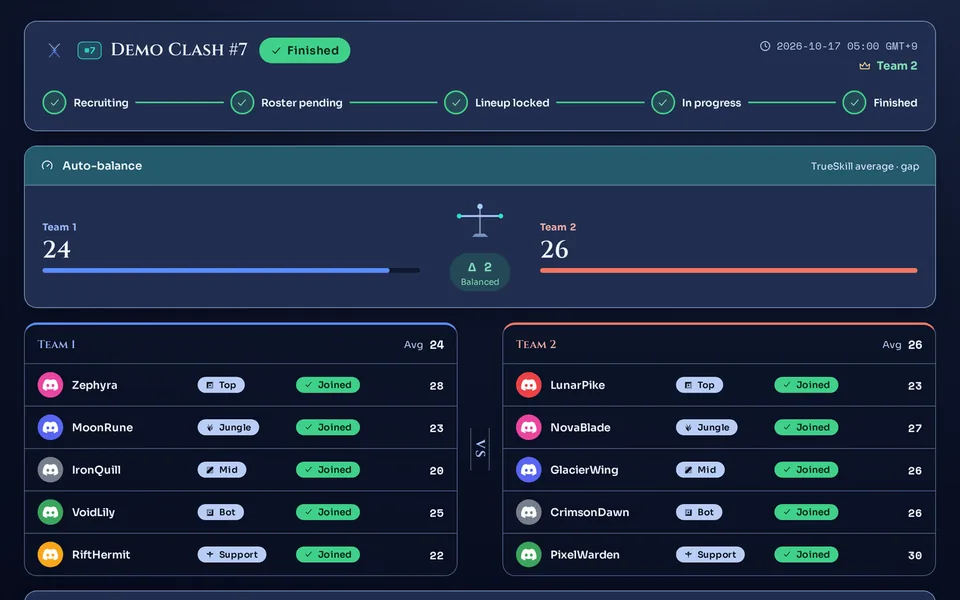
Open a match and the Attendance review box appears. Everyone who joined gets a row with one of PresentNo-show. Where a no-show came from shows as one of Matchmaker · manualSelf-cancelled.
It opens once the match has started. It also stays open for a match with a recorded result, one that ended without a result, and one cancelled after the lineup was locked. It is not open while the lineup is only locked.
Decide one person at a time
- A Present row: Mark no-show makes it a confirmed no-show.
- A No-show row: Undo marks the person as not a no-show.
After you press, you see “Marked as a no-show.” or, when you reversed one, “Marked as not a no-show.”
What reversing does
- The person goes back to present and the trust score is recalculated.
- Kleos is returned in the amount that was actually deducted for that no-show. If less was taken because the score was low, only that much comes back. It is never returned twice.
- If the season rolled over or the person deleted their data in between, Kleos does not come back. The trust score still recovers.
- Swapping in a sub does not clear a confirmed no-show for the person who left.
The row's badge changes to No-show or Present. In that person's Activity screen a No-show penalty line appears (when any Kleos was deducted), and reversing adds a line of the same name with a + value.
After the match: feedback, MVP and marks
Feedback, MVP votes and marks can be sent only for a match with a recorded result, and only by people who played in it. They do not open for a match that ended without a result or was cancelled.
Open the feedback screen
Once the result is recorded, everyone who played gets a record-registered DM (if the server's DM switch is on and you have not turned this kind of DM off). What it looks like is shown in Confirm a result and enter records.
No DM is fine. Open the finished match in My matches on the web and press Match feedback; it opens the same screen.
Send a one-line comment and an MVP vote
Write 1–300 characters in the One-line feedback box; it cannot be empty. In the MVP vote row, pick one participant other than yourself, or the None option.
Press Submit and you are done. You cannot edit it afterwards. The MVP vote is submitted together with the comment, so you cannot send an MVP vote without writing one.
Send marks
The Commendations box is submitted separately from the feedback. You can do just one of the two. Pick a participant (ally or enemy) and press one of MentalityCarryCommsTeamplay.
- You can give each person at most one mark, of one kind. You cannot give one to yourself.
- The number you can send per match is about 20% of the players (at least 1). With 10 players it is 2.
- Once you send with Send commendations, you cannot change it.
- The recipient cannot see who sent it.
After feedback you see Feedback submitted, and after marks you see Commendations sent. Either way the input box closes afterwards.
What they change
- Each recipient gains 15 Kleos, credited the moment you submit. When Kleos builds up is in Build up and review your Kleos activity score.
- As received marks add up, the Manner index card on the profile rises. It is display only, with no penalty.
- If the server set up weekly challenges, the number of marks received can be used as a challenge metric.
- Whoever gets the most votes is the match's MVP. On a tie, the lower Discord user ID wins.
- An MVP vote does not change Kleos or MMR.
- When the matchmaker presses Announce highlight on the match screen, the MVP is posted to the match announcement channel (only if a channel is set and there are MVP votes, once per match · Server settings at a glance).
- If the server set up weekly challenges, the number of MVP votes received can also be used as a challenge metric.
Matchmakers and admins see the author's name, the text and who they picked as MVP together in the Player feedback box of the match console. A matchmaker can also generate an AI summary. AI summaries must be turned on, and each server has a monthly cap on how many it can make (5 on the free plan, 50 with Premium · Compare plans and free-tier limits). Participants only ever see the summary text, never the original feedback with the author's name.
Where you can see them
- The My matches screen: on a finished match's card and detail, a no-show appears as No-show.
- The Activity screen: recent entries in the Kleos Activity Score box collect No-show penalty and Commend bonus lines.
- My profile (on a bot with in-house matches turned on): the Trust gauge with the Attended, Recent no-shows and Total no-shows numbers, and the Manner index card with its Received number. Each card carries a Display only label. Recent no-shows covers the last 30 days.
- The Honors from this match box under the feedback screen: it shows only who received which marks in that match, never who sent them.
Where to go next
How and when to answer an invite is in Reply to a match invite. If you run matches, see Team balance, lanes and positions, Run a match, step by step and Confirm a result and enter records. If you are new as a member, start with A member's first 5 minutes. The score that marks and no-shows change is covered in Build up and review your Kleos activity score.
Check it worked
After you pull out once the lineup is locked, My matches on the web shows “You already cancelled — recorded as a no-show.” Once the match has started, the matchmaker's Attendance review box shows a No-show row with the Self-cancelled source. When the match ends, My matches keeps a No-show label. After a finished match you can send feedback and marks once each, and the boxes close afterwards.